Chapter 01— Course Overview
What Is a VFX Course?
Visual effects, commonly known as VFX, involves creating or modifying images to produce scenes and visual elements that cannot easily be captured through conventional filming. It can be as simple as removing a visible wire from a shot or as complex as creating a digital environment filled with buildings, vehicles, atmospheric effects and computer-generated characters.
VFX artists work across several stages of production. Before filming, they may help plan shots and identify the effects required. During production, they work with footage, reference images and green screen material. In post-production, they combine different visual elements, refine the images and prepare the final shots.
At Pikazzo Institute, the VFX course in Chandigarh follows this production-orientated approach. Students are introduced to the relationship between pre-production, production and post-production rather than learning individual effects without understanding where they fit into the wider process. The programme covers both creative and technical aspects of visual effects, helping learners understand how compositing, tracking, rotoscoping, digital painting and 3D elements contribute to a finished scene.
Software & Tools Covered
| Category | Tools Covered |
|---|
| Adobe After Effects | After Effects is used for compositing, motion graphics and digital visual effects. Students explore layers, masks, tracking, green screen removal, animation, visual effects integration and final shot preparation. |
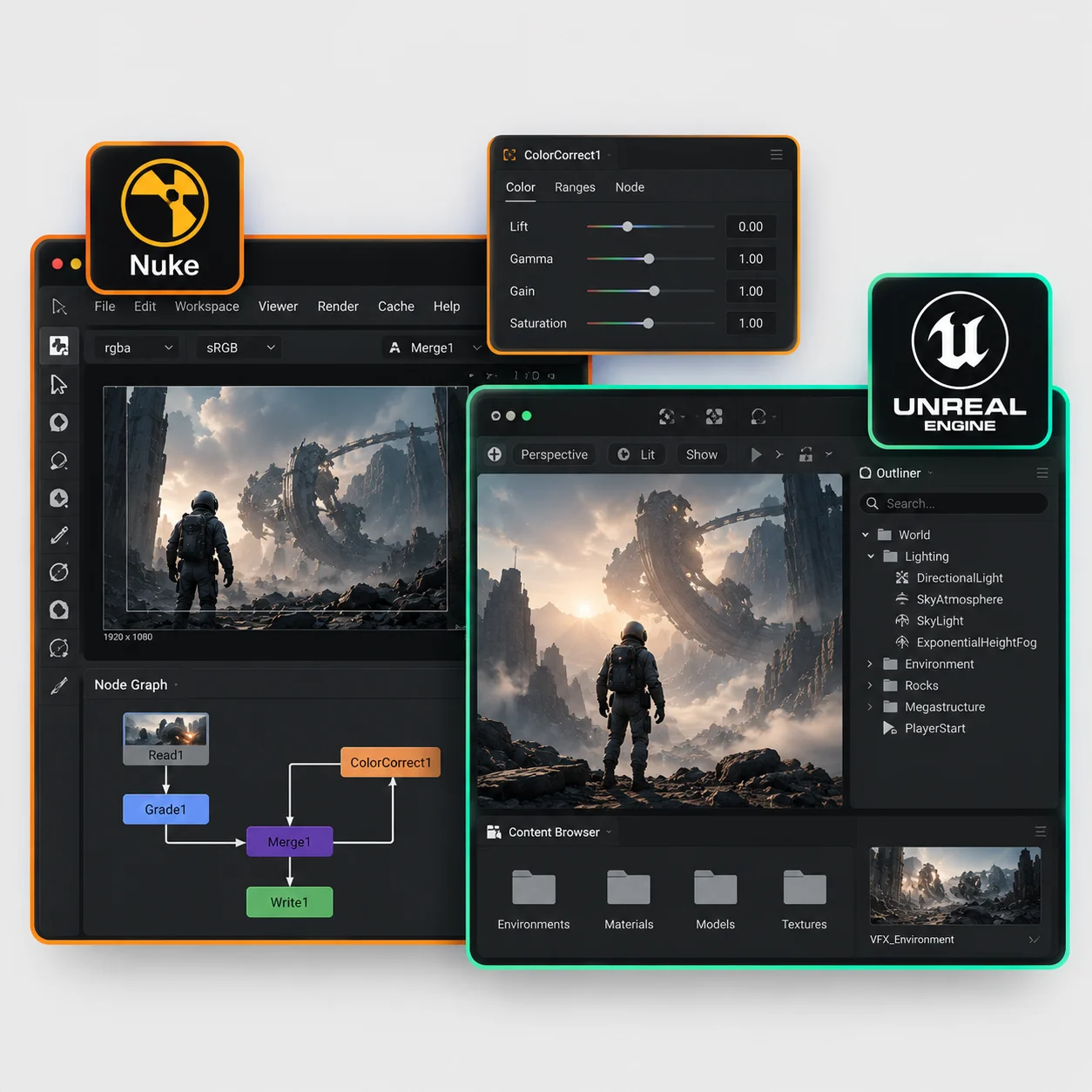
| Foundry Nuke | Nuke is a professional node-based compositing application. Its workflow allows artists to connect different operations and combine live-action footage, CGI renders and digital elements. Students are introduced to node graphs, compositing workflows and shot integration. |
| SideFX Houdini | Houdini is used for procedural 3D workflows and visual effects simulations. Its capabilities include fire, smoke, particles, fluids and destruction effects. The course introduces simulation techniques and their role in creating digital effects. |
| Adobe Photoshop | Photoshop supports image preparation, digital matte painting, clean plate creation and background editing. It is particularly useful when modifying or extending photographed environments. |
| Mocha Pro | Mocha Pro is used for planar tracking, rotoscoping and object removal. These techniques help artists track moving surfaces and prepare footage for compositing. |
| Autodesk Maya | Maya is a 3D application used for modelling, cameras, materials, lighting and rendering. These capabilities are useful when creating digital objects and preparing CGI elements for visual effects integration. |
| Blackmagic Fusion | Fusion provides a node-based environment for compositing and visual effects. It can be used to combine footage, digital elements and rendered images. |
| Adobe Premiere Pro | Premiere Pro supports video editing and final editorial assembly. It helps organise footage and prepare completed sequences for delivery. |
| DaVinci Resolve | DaVinci Resolve is used for colour correction and grading. Colour consistency is particularly important when combining original footage with digitally created elements. |
| Unreal Engine 5 | Unreal Engine supports real-time 3D environments and virtual production. Students are introduced to how real-time rendering can be used in filmmaking and digital visualisation. |
| AI-Assisted VFX Tools | The curriculum also introduces AI-assisted creative workflows, including background generation, object removal, rotoscoping assistance, video generation and image enhancement. |
Chapter 02— What You Will Learn
What Will You Learn in the VFX Course?
Introduction to visual effects design
History and evolution of VFX
Complete VFX production pipeline
Pre-production and production workflows
Post-production processes
Plate photography and reference gathering
Layers and alpha channels
Masks, blend modes and opacity
Image resolution and frame rates
Roto shapes and Bezier masks
Feathering and edge control
Hair and difficult-edge refinement
Green screen and blue screen
Combining rotoscoping and keying
Motion tracking fundamentals
Introduction to planar tracking
Parenting and null objects
Compositing multiple elements
Roto tracking and optimisation
Clone and patch workflows
Tracking difficult footage
Null and object placement
Tracking for VFX integration
Alpha channels and premultiplication
Reflections and refraction
Introduction to AI in VFX
AI-assisted VFX workflows
AI object and background removal
AI environment generation
AI concept and reference generation
AI-assisted previsualisation
Maintaining visual consistency
Copyright and responsible AI use
Introduction to 3D for VFX
3D environment integration
3D and live-action workflows
Introduction to fluid simulation
Introduction to cloth simulation
Matte painting fundamentals
Digital environment design
Day-to-night transformation
Understanding a VFX brief
Working with directors, editors and 3D artists
VFX portfolio development
Chapter 03— Real Cinema Footage
Learn VFX on Real Cinema Footage at Pikazzo Institute
Practising compositing on a sample video is useful for understanding the basics, but actual production footage presents a different set of challenges.
Why Original Footage Details Matter: Camera movement, lens characteristics, lighting conditions, grain and motion blur can all influence how a digital element should be integrated into a scene. Artists need to account for these details if they want the final composition to look natural.
RED Dragon Cinema Footage & Punjabi Film Connections: Pikazzo Institute highlights the use of RED Dragon cinema footage for VFX practice. The institute also describes its connection with Punjabi film and music video productions.
Real Film-Related Plates & Briefs: According to the institute's published course information, students get exposure to film-related plates and VFX briefs involving green screen cleanup, sky replacement, environment extension and crowd multiplication. This gives the training a connection to the type of footage used in filmmaking and post-production. Working with these examples can help learners understand why compositing decisions need to change depending on the original shot.
Chapter 04
— Career Opportunities
Career Opportunities After Completing a VFX Course
Visual effects skills are used in film production, television, OTT content, advertising, music videos, gaming cinematics and digital media. After developing relevant technical skills and building a suitable portfolio, students can explore several career paths.
Career Roles You Can Explore:
| Job Role | Description |
|---|
| Junior Compositor | Combining live-action footage, CGI and digital elements into finished shots. |
| Rotoscoping Artist | Separating people and objects from footage through detailed masking. |
| Motion Graphics Artist | Creating animated titles, graphics and visual sequences. |
| Matte Painting Artist | Developing digital backgrounds and extending filmed environments. |
| FX Artist | Creating simulations such as smoke, fire, particles and destruction. |
| 3D Compositor | Integrating rendered CGI elements into live-action footage. |
| Matchmove Artist | Tracking camera and object movement for accurate visual integration. |
| Virtual Production Artist | Working with real-time 3D environments and virtual production systems. |
| Broadcast Designer | Creating title sequences, animated graphics and broadcast packages. |
| Freelance VFX Artist | Providing compositing and visual effects services for clients and production teams. |
Career opportunities depend on practical ability, specialisation, portfolio quality and experience. A diploma provides training, but developing a strong showreel and practising beyond classroom assignments are important steps towards entering the industry.
Chapter 05 Why Choose Pikazzo Institute
Why Choose Pikazzo Institute for VFX Training in Chandigarh?
Choosing a visual effects institute involves looking at more than the number of software applications listed in a course. The curriculum, practical assignments, faculty guidance and exposure to production workflows all influence the learning experience. Pikazzo Institute presents its VFX programme around the following areas:
Exposure to Real Cinema Footage: Pikazzo highlights RED Dragon cinema footage and Punjabi film-related plates in its VFX training. This is particularly relevant for students interested in understanding how visual effects are applied to actual filmed material.
Training Across the VFX Pipeline: The programme covers rotoscoping, keying, tracking, compositing, matte painting, 3D integration and simulations. This allows students to explore several areas of visual effects before deciding where they want to specialise.
After Effects and Nuke Workflows: The curriculum includes both layer-based and node-based compositing approaches. Understanding the difference between these workflows helps students become familiar with different methods of creating and managing visual effects shots.
Houdini and Digital Simulations: The programme introduces procedural effects and simulation topics through Houdini-related training. Students explore the concepts behind digital fire, smoke, particles, fluids and destruction.
AI-Assisted VFX Learning: AI tools are included in the published curriculum to introduce students to newer approaches to image generation, object removal, rotoscoping assistance and video enhancement.
Portfolio and Showreel Development: The institute highlights portfolio development and showreel preparation as part of its course offerings. These are useful ways to organise practical work and demonstrate individual skills.
Internship and Placement Assistance: Pikazzo advertises internship and placement assistance for students exploring opportunities in the creative industry. Contact the admissions team to understand the specific support available and its terms.
- 25+Real-World Projects
- 11Core VFX Modules
- 100%Placement Assistance